
RCS Service —
Next Generation Messaging
Transform your business communications with rich media messages and interactive features.
Request a Demo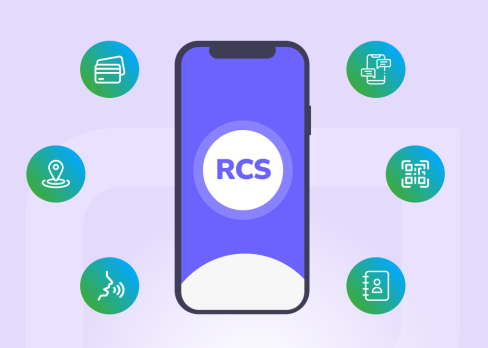
What is RCS?
Rich Communication Services is an IP-based messaging service beyond regular SMS or MMS. RCS Business Messaging has chat app capabilities: QR codes, gifs, locations, videos, and call buttons. How is it different from messengers? It is provided through mobile network operators. The service is available worldwide through the majority of service providers on both iOS and Android systems.
Why Choose RCS for Business Communication?

Enhance Сustomer Interaction
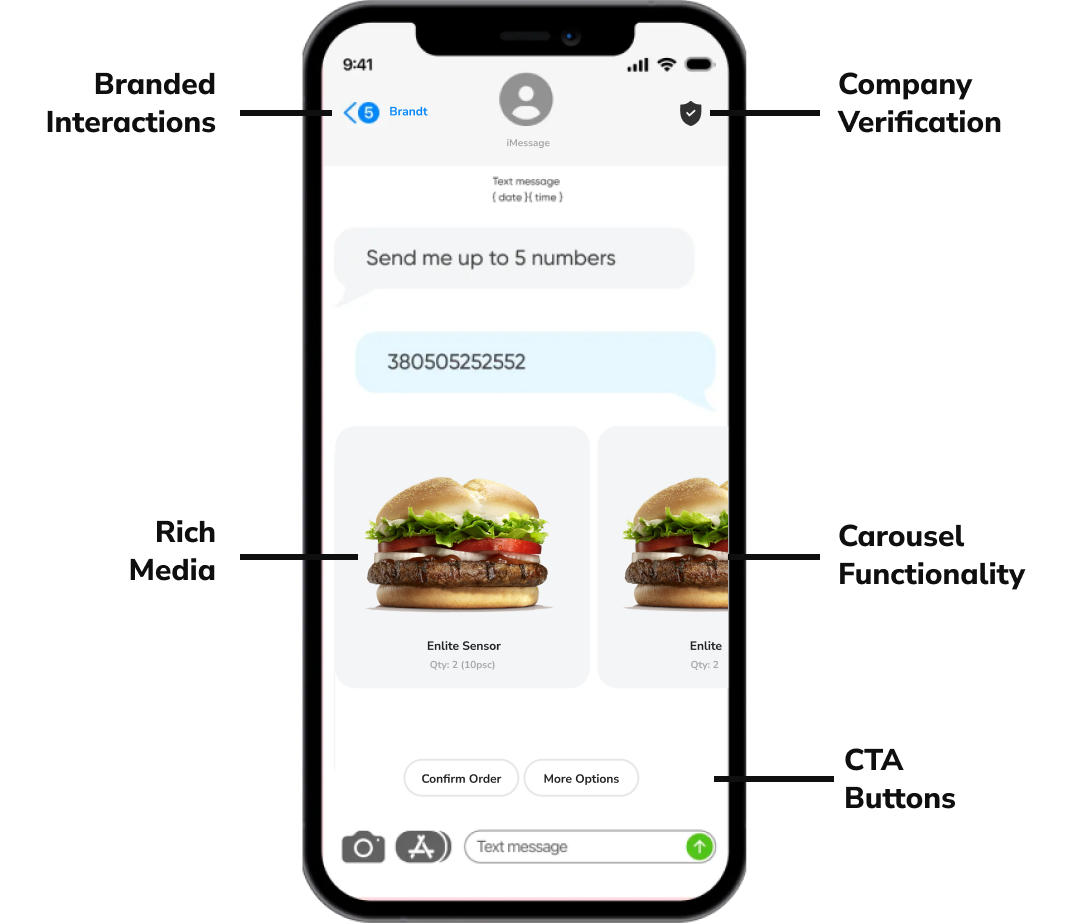
Interact with Clients using videos and images; add buttons for links, phone numbers, and map coordinates to engage more effectively.

Reduce Сommunication Expenses
Send more text than SMS at a lower cost in many countries. Save your budget while delivering richer content to your audience.

Grab Customer Attention
Expand content volume card carousels with more text than SMS for richer content. Provide detailed and engaging information for better customer understanding and satisfaction.
Comparing SMS and RCS for Business Communication
The expanded capabilities of the RCS service allow businesses to share their brand identity directly via bulk RCS messages and interact with users:
- Brand your message with your brand colors and logo.
- Add a Call To Action button to start a conversation immediately.
- Store all needed info, from locations to QR codes, in one message.
- Add as many as 10 branded visuals to diversify content.
It is a great tool to go beyond the regular SMS capabilities.
Why Choose RCS for Business Communication?
Transactional Messages
Send OTPs, notifications, and updates swiftly and securely

Marketing Communications
Promote your products and announce new launches effectively

Customer Services
Offer interactive support with instant response capabilities
RCS Messaging Examples in Different Industries

iGaming
Engage users with game updates and promotions. Boost user engagement by 40%.

Finance
Send transaction alerts and secure OTPs instantly. Increase customer trust by 30%.

Medicine
Provide appointment reminders and health updates efficiently. Reduce no-show rates by 25%.

Dating
Facilitate instant communication and match notifications. Improve match success rate by 20%.

E-commerce
Boost sales with personalized offers and order updates. Increase conversion rates by 15%.

Education
Deliver course updates and important notifications promptly. Enhance student engagement by 35%.
How to send RCS via API
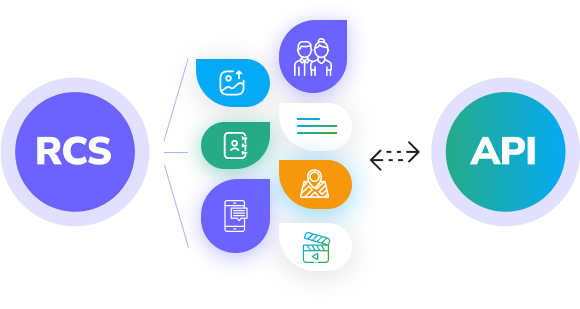
Send text messages worldwide with just a few lines of code on the global messaging platform. To use the RCS API, you only need to follow a few steps.
- Register on the WW platform, complete verification, and obtain an API key
- Study the API documentation
- Сharge your account
- Log in to the system using your API key and start sending the necessary API requests

RCS Pricing Model
Enjoy a transparent pay-as-you-go model: you only pay for the messages you send. There are no connection fees or monthly charges. The cost of sending a message depends on the destination country.
Fill in the form and your personal WWT manager will get back to you
FAQ
What is RCS?
RCS (Rich Communication Services) is a messaging protocol developed to replace SMS. Sometimes, this type of message is referred to as enhanced SMS.
How is RCS different from SMS?
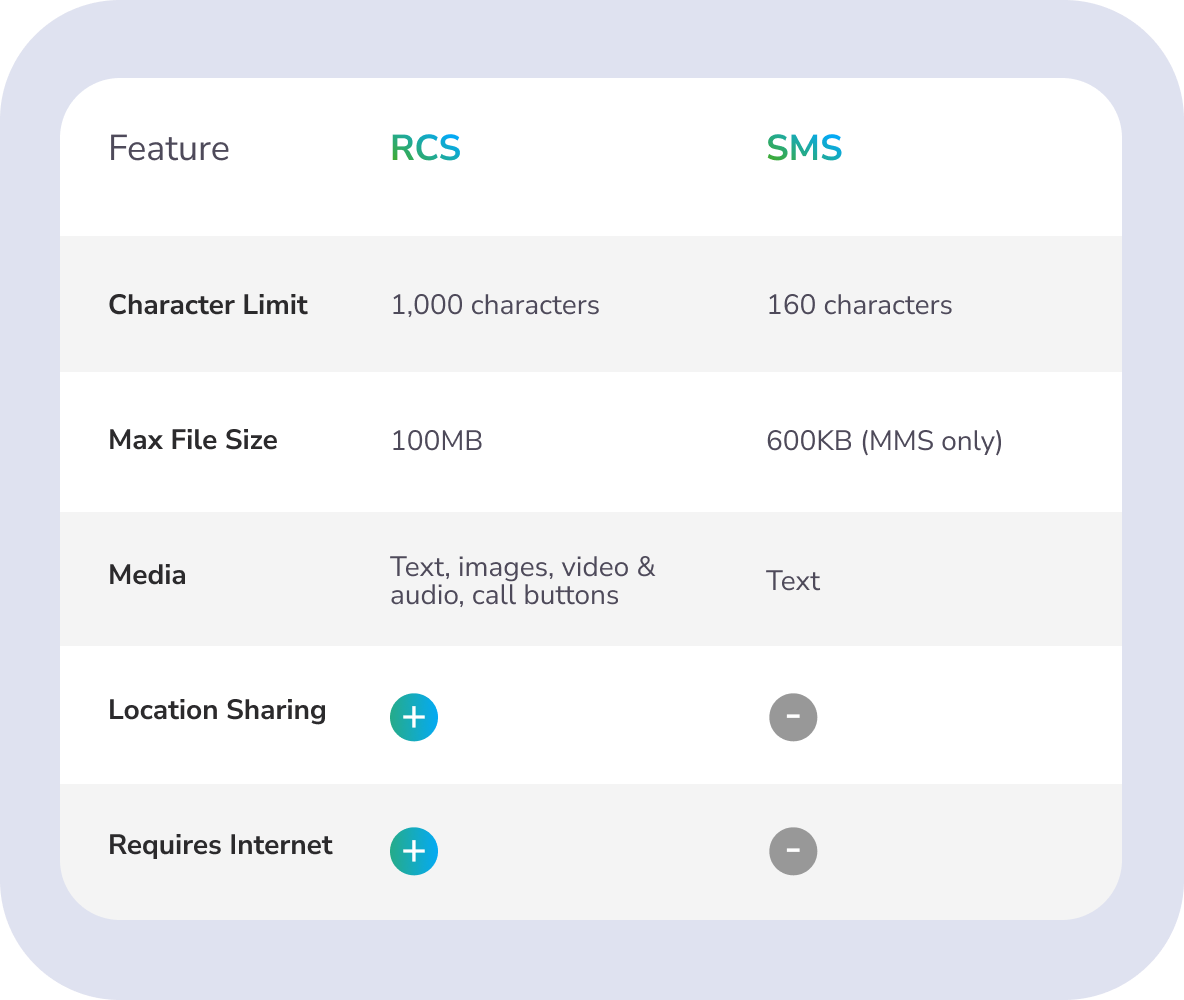
The main difference between RCS and SMS is the ability to send not only text but also images and videos. Additionally, there is no 160-character limit (or 70 characters if non-Latin characters are used).
It is important to note that to receive RCS messages, the recipient’s phone must be connected to mobile internet or Wi-Fi. In contrast, SMS messages only require the recipient to be within the mobile network coverage area.
It is important to note that to receive RCS messages, the recipient’s phone must be connected to mobile internet or Wi-Fi. In contrast, SMS messages only require the recipient to be within the mobile network coverage area.
What is RCS messaging?
Mass RCS messaging allows businesses to send promotional or informational messages to their clients.
What devices can receive RCS messages?
Currently, RCS messages can be sent to phones running the Android operating system. Support for the protocol on iOS is in the testing phase and is not guaranteed. It is expected that full support for RCS messaging on iPhones will be implemented by the end of 2024.
What types of traffic exist in RCS broadcasts?
There are three types of traffic for RCS broadcasts:
- Marketing messages – promotional messages such as offers of products or services, deals, and discounts.
- Transactional messages – informational messages such as payment confirmations or delivery notifications.
- Authentication – messages containing temporary codes needed to log into an account or verify the customer’s identity.
Is the internet required to receive an RCS message?
Yes, an internet connection (Wi-Fi or mobile internet) is required to receive RCS messages, unlike SMS which only requires mobile network coverage.
What types of messages exist in RCS?
There are several types of RCS messages:
- Plain text: Text messages up to 160 characters, similar to SMS. Typically used for transactional or authentication traffic. These messages are billed at a lower rate than the following types.
- Rich media card: Messages containing images, animations, or videos. The character limit for these messages is up to 1000. Additionally, these messages can include buttons to navigate to a website, dial a phone number, or display a location on a map.
- Carousel: A set of multiple cards that the user can swipe through on their phone. Each card can contain the same data set mentioned above.
How many characters can be sent in an RCS message?
The number of characters in an RCS message depends on the type of message. A plain text message can contain up to 160 UTF-8 characters, while a media card can include up to 1000 characters. If you need to send a plain text message longer than 160 characters, you can use the card type without images or buttons.
How much does mass RCS messaging cost?
The cost of RCS messaging depends primarily on the country of distribution and the tariff type. The tariff can be international or local. Local tariffs are usually lower but require the company to be a resident of the respective country
What types of files are supported by RCS messages?
The RCS protocol supports a wide range of file types:
- Images: JPG, JPEG, PNG
- Animated images: GIF
- Video: MP4, MPEG-4, MPEG, H263, M4V, WEBM
What happens if an RCS message cannot be delivered?
If the user’s device cannot receive RCS messages or the mobile operator does not support this protocol, an SMS message can be sent instead. RCS messages have a delivery time limit (TTL), after which our system will send an SMS message. This SMS fallback feature is optional and can be used or not used by our clients.
What is needed to start sending mass RCS broadcasts?
To start sending RCS broadcasts, you need to:
- Register in the WWT system
- Complete verification (choose a time zone, currency, and provide a management phone number)
- Register an RCS agent (sender)
- Review the API documentation and implement the necessary methods
- Copy the API key
- Start sending messages
What is an RCS agent?
An RCS agent is the name of the company from which the messages will be sent, similar to the sender for an SMS message.
Does RCS support video and animation?
Yes, RCS messages can include videos up to 100 MB and GIF images up to 100 MB.
What buttons can be added to RCS messages?
RCS messages can include the following buttons:
- URL button: e.g., the address of your website
- Phone number button: e.g., the phone number of your sales department
- Location button: e.g., the location of your office on the map (latitude and longitude in WGS84 format)
The button name length is limited to 25 characters.